Reports You Can Defend
Turn CMMS exports into numbers you can stand behind. LeanReport helps you produce defensible reports with traceable context, so you're ready when the questions come.
14-day free trial • Cancel anytime • Works with any CMMS CSV
Compatible with exports from












The Real Problem Starts After You Hit Send
Creating the report takes 15 minutes. Defending it costs hours.
Someone in finance questions your downtime figures. Operations wants to know why PM compliance dropped. A manager asks you to "double-check those numbers."
Now you're chasing technicians for clarity. Digging back through work orders. Explaining definitions you thought were obvious. Reworking charts because the context wasn't clear.
The reporting pain isn't making the spreadsheet. It's losing credibility when you can't explain where the numbers came from.
Built Around How You Already Work
Works with your existing CMMS and Excel workflows.
LeanReport doesn't replace your CMMS. It doesn't ask you to abandon Excel. It works with your existing CSV exports — giving you a head start with pre-computed metrics, categorized work orders, and traceable charts.
1. Ingestion
Uploading raw, messy CMMS exports.
2. Normalization
Unified Schema & Work Type Detection.
3. Insights
Costs, MTTR, & Bad Actors revealed.
What You Get
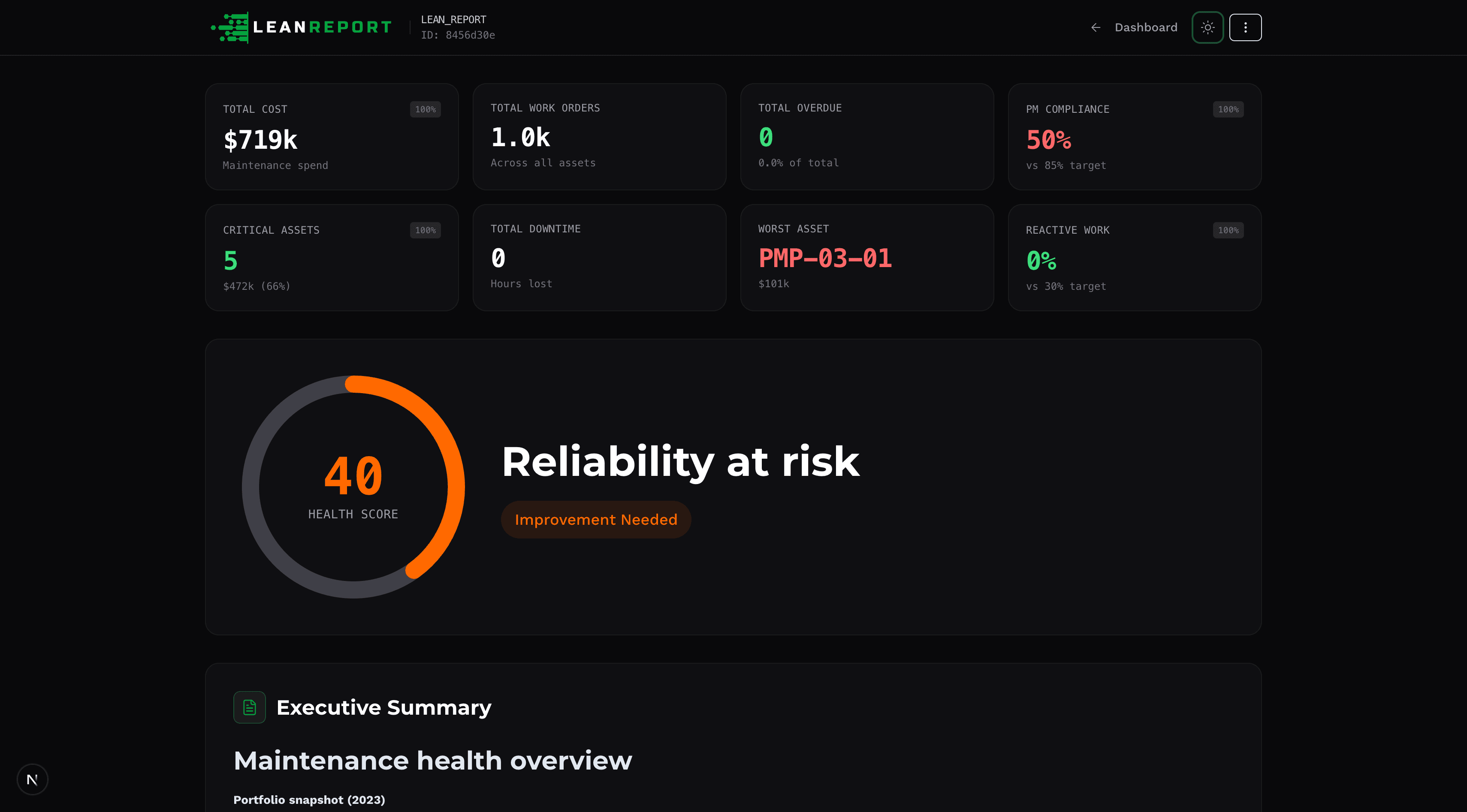
See exactly what LeanReport gives you.
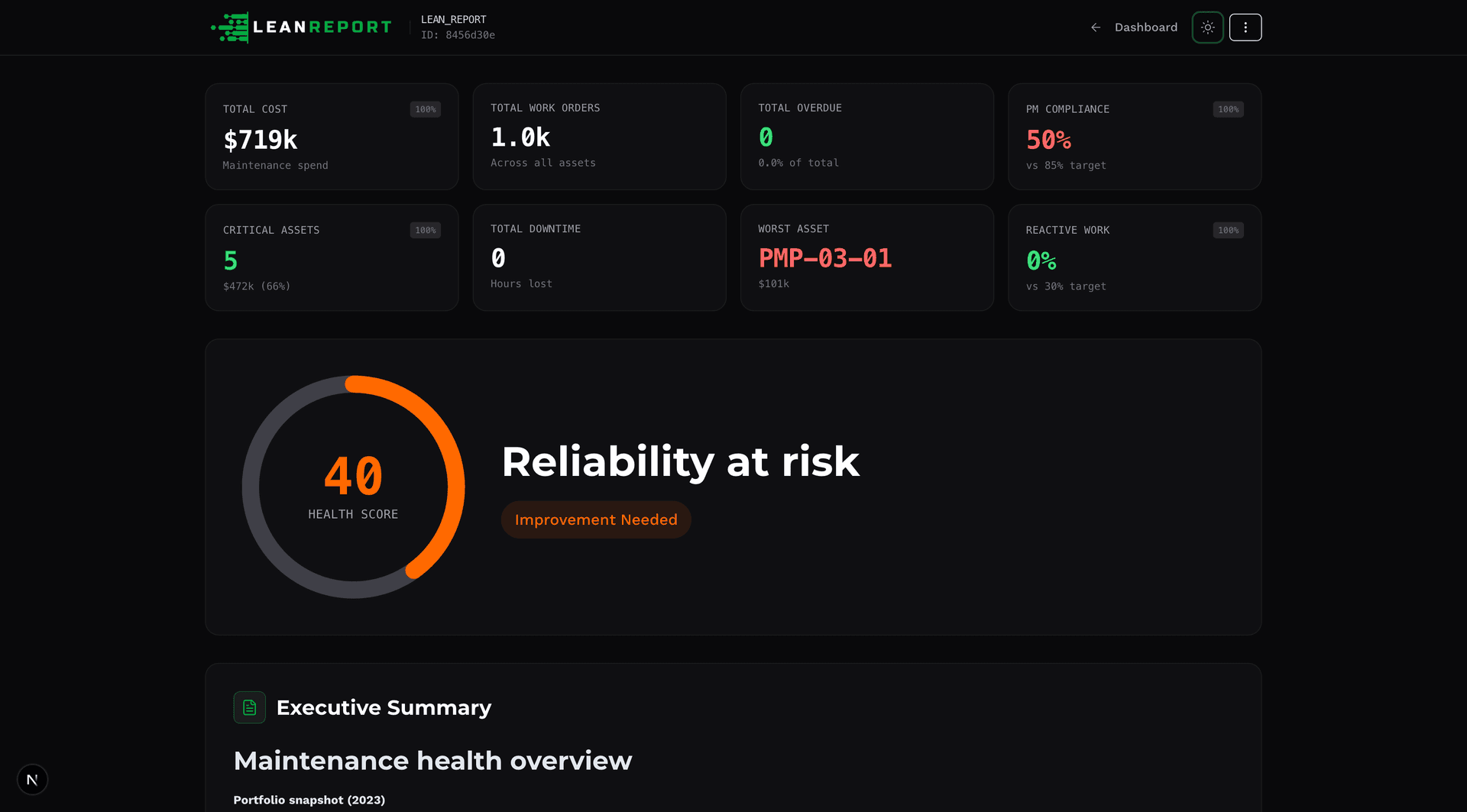
Executive Dashboard
Downtime, PM compliance and backlog in one clean view.
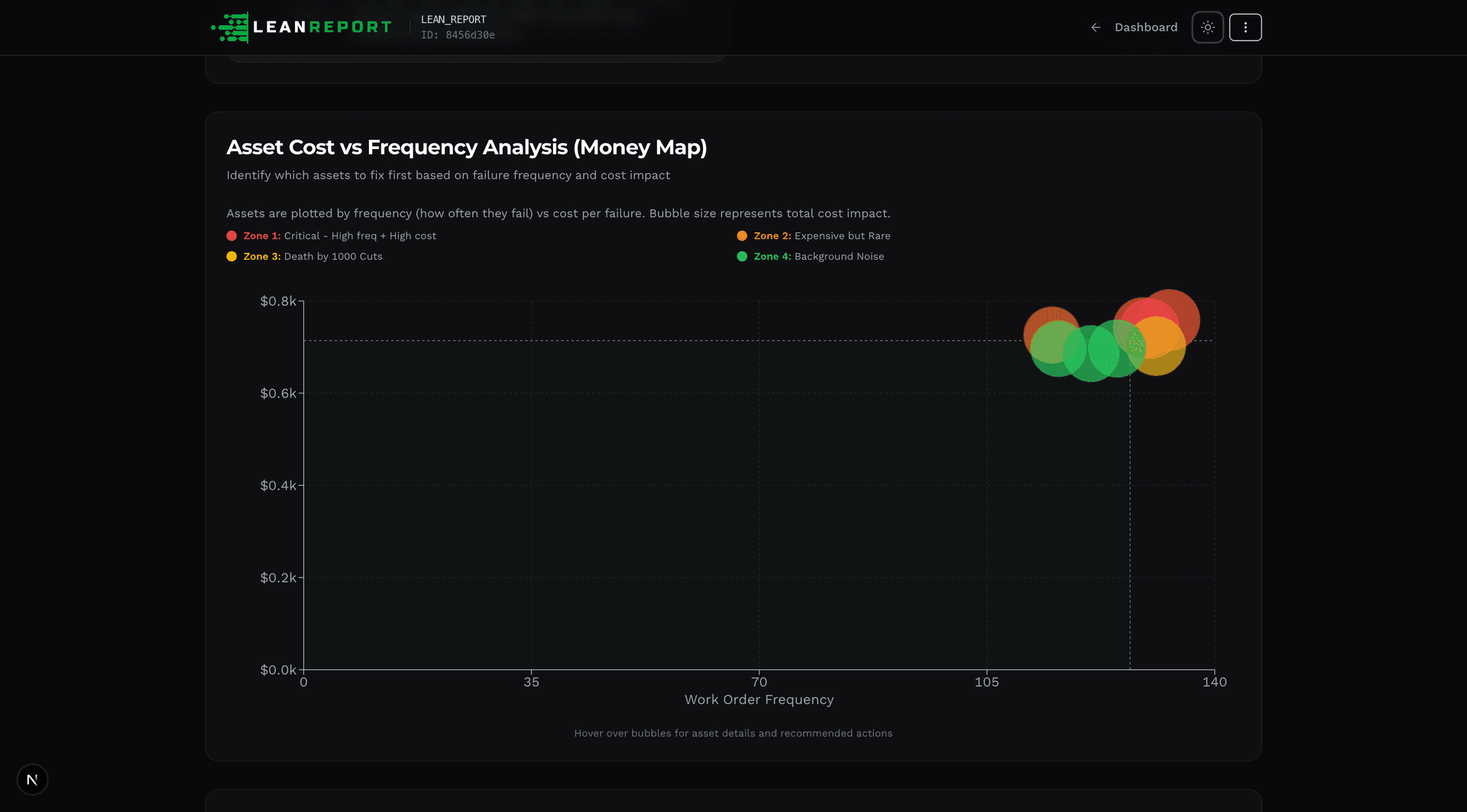
Asset Breakdown
Spot high-cost, high-downtime assets immediately.
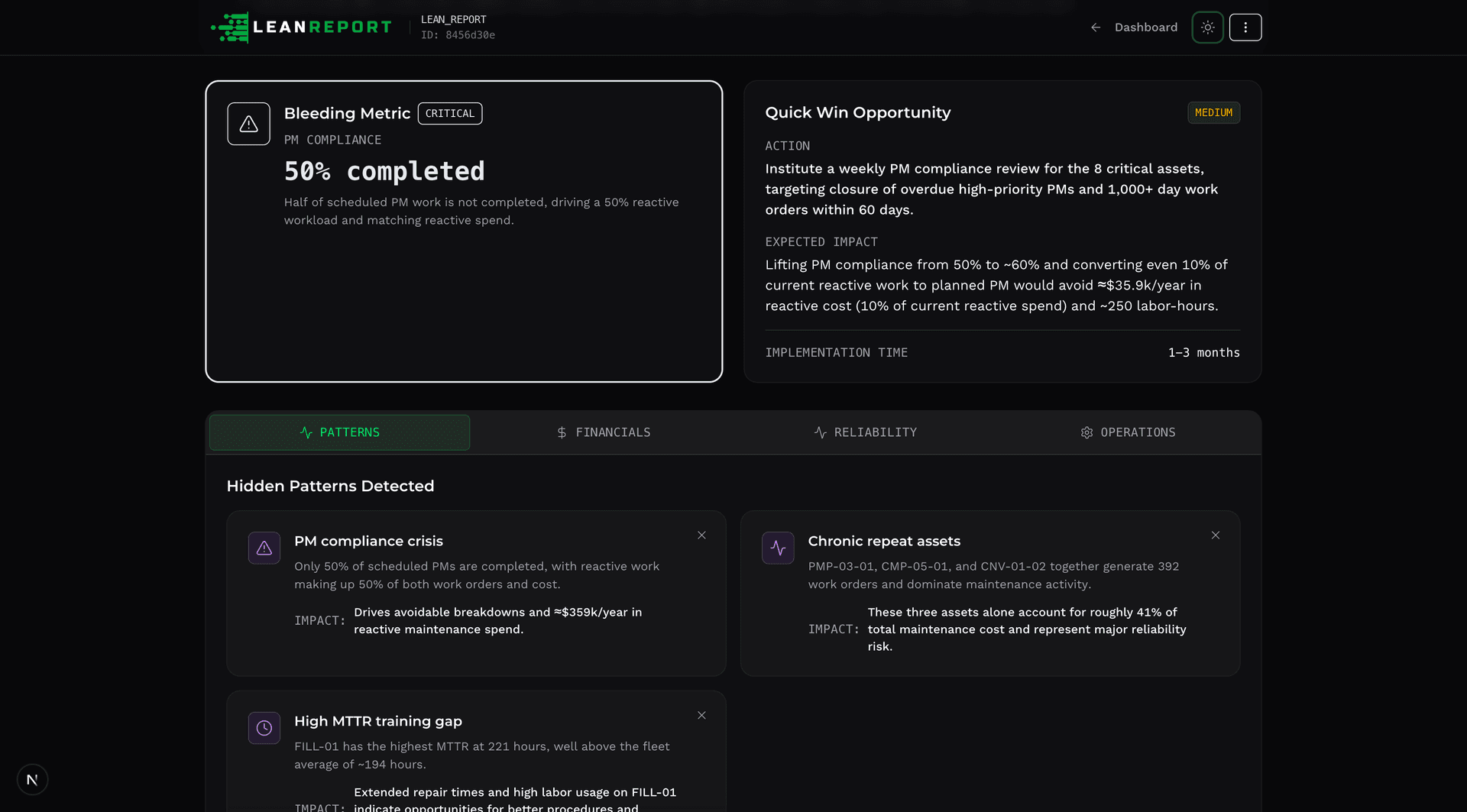
Work Order Insights
Detect patterns in failures, maintenance type and labour mix.
What LeanReport Actually Does
Structure, not magic. Context, not claims.
- Defensible Numbers
- Every metric links back to source rows. Show exactly which work orders contributed when questioned.
- Traceable Logic
- Work order classification is visible and reviewable. Explain the logic or adjust it when disputed.
- Built-In Context
- Reports include date ranges, asset counts, cost totals. The metadata that helps people trust your numbers.
- Works With Your CMMS
- SAP PM, Maximo, eMaint, Dynamics. If it exports CSV, LeanReport structures it for you.
- You Still Control It
- Review, adjust, add context. LeanReport removes grunt work, not your judgment.
For People Who Get Pulled Into Data Disputes
You're not an analyst. You're the one who has to explain the numbers.
Maintenance Planners
You chase techs for clarification and rework reports when numbers are questioned. You need a format that answers the second question, not just the first.
Reliability Engineers
You get pulled into data disputes and feel exposed when reports lack context. You need evidence you can defend in front of finance or operations.
Maintenance Supervisors
You lose credibility when you can't explain where numbers came from. You need reports that show their work, not just their conclusions.
What Changes
About what counts as "preventive" vs "breakdown"
When someone questions a figure in your report
Because the context was missing the first time
In monthly reviews and budget meetings
The goal isn't perfect data. It's defensible data.
Pricing
Try it with your data. Decide if it helps.
Every plan starts with a 14-day free trial. Cancel anytime if it doesn't help.
Basic
Individual users getting started with professional reporting
- 1 user
- Up to 10 reports per month
- Up to 1,000 rows per CSV
- Advanced analytics and trends
- Email support
- Printable (PDF) reports
If LeanReport doesn't make your reporting more defensible, cancel anytime.
Frequently asked questions
- Does LeanReport replace my CMMS?
No. LeanReport works with your existing CMMS exports. It doesn't capture data, manage work orders, or replace your current system. It just structures CSV exports into reports you can defend.
- Can I review and adjust the classifications?
Yes. LeanReport categorizes work orders based on patterns in your data, but you review the logic and adjust as needed. The goal is to give you a head start, not to automate decisions you should control.
- What if someone questions my numbers?
Every metric in LeanReport links back to the source work orders. You can show exactly which rows contributed to a figure, explain the classification logic, or drill down to the raw data. That's the whole point.
- Is my data secure?
Yes. We use enterprise-grade encryption for data in transit and at rest. We never share your data with third parties and comply with GDPR and SOC 2 standards.
- What CMMS systems work with LeanReport?
SAP PM, Maximo, Oracle EAM, eMaint, Dynamics, UpKeep, or any system that exports CSV. If your CMMS can export work order history to CSV, LeanReport can structure it.
See How It Works With Your Data
Book a free demo
We'll walk you through your CMMS export, show you how LeanReport structures it, and you decide if it's useful. No sales pitch. Just a clear look at what it does.